
Native macOS mail app
A mail app that works the way you expect it to.
MailXa supports JMAP and IMAP/SMTP protocols, and keeps your junk lists and filters on the mail server. That means your rules keep working even
when your Mac is asleep or turned off.
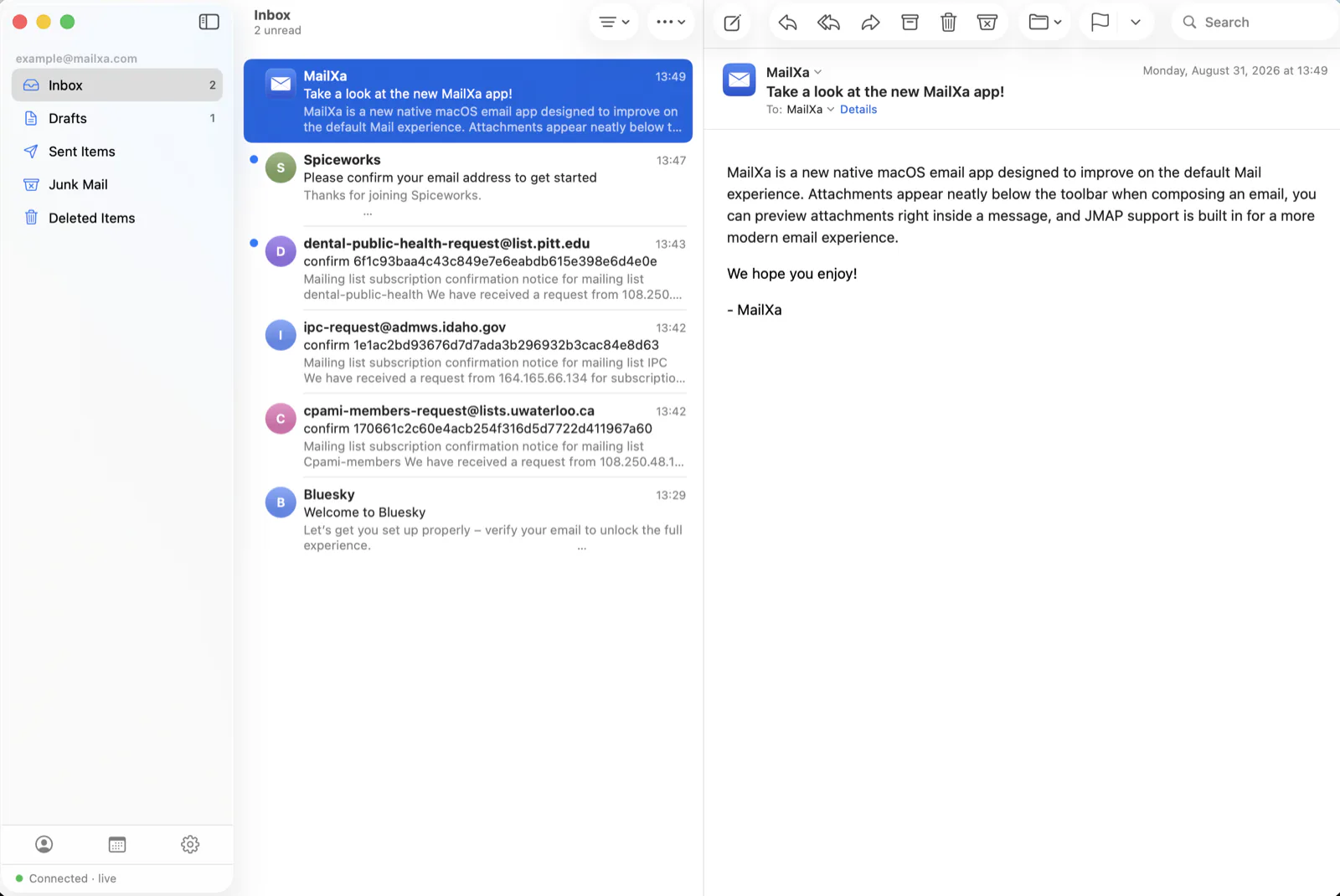
Email attachments are no longer embedded in the body of the email and placed at the top below the toolbar like other email programs.
MailXa is our vision of how the default macOS Mail app should work.
Protocols
JMAP when you have it. IMAP when you don't.
MailXa supports both, so you don't have to choose one or the other. Use a modern JMAP server alongside a traditional IMAP account and manage both from the same app.
Native JMAP support
Built around RFC 8620 and 8621, including push updates over EventSource, so new mail can appear without constantly polling the server. Contacts, calendars, and server-side filters are supported too.
Full IMAP support
IMAP4rev1 with IDLE, UIDPLUS, MOVE, and CONDSTORE, implemented directly in MailXa rather than through a legacy wrapper. Modified UTF-7 folder names, literals, and the other details are supported too.
SMTP when it's time to send
Send through port 587 with STARTTLS or port 465 with implicit TLS, using PLAIN or LOGIN authentication. TLS is enabled by default.
Rules & Junk Mail
Your mail rules keep working, even when your Mac isn't.
MailXa puts your rules on the server instead of keeping them on your Mac. Rules and junk lists are saved as Sieve scripts and run when mail is delivered, before it reaches any of your devices.
Close your Mac, quit MailXa, or check your mail from your phone — your rules still run. Junk goes to Junk, receipts go to the folder you chose, and everything keeps working in the background.
-
Blocked and allowed senders stay on the server. Add a sender directly from a message, or remove them later from the same menu.
-
Your webmail and MailXa use the same rules. MailXa reads and writes the same format used by Roundcube-based webmail, so rules created in either place are available in the other.
-
MailXa won't overwrite rules it didn't create. If another application has already created a filter, MailXa shows it but leaves it alone until you decide to take control of it.
-
Rules are managed per account. Both the Rules and Junk Mail panes have an account selector, so you always know which account you're working with.
Tested against
Tested against two mail providers.
MailXa isn't just built around protocol documentation. It's been tested against two very different
mail setups: a self-hosted modern server and a traditional shared-hosting service.
MailXa should work with other JMAP and IMAP providers. However, we have not tested, and Rules and Junk Mail settings may or may not work. If the app does work with your email provider, please drop us a line to let us know and we'll add it to the supported list.
Stalwart
The primary JMAP test environment. JMAP push, JMAP Sieve, contacts, calendars, and SMTP submission are all used regularly against a self-hosted Stalwart installation running on a VPS.
MXroute
The IMAP side is tested on ordinary shared hosting, including IMAP IDLE, SMTP submission on port 465, and server-side rules through ManageSieve alongside the provider's webmail.
Everyday features
The little things add up.
Attachments where they belong
Attachments are listed above the message, so you can find them at a glance instead of hunting through the message body.
Raw source and full headers
See the complete message source and headers when you need to figure out exactly how a message was delivered.
A different sound for each mailbox
Choose from 15 built-in sounds or use your own, so you can tell which account received new mail without checking the screen.
Works offline
MailXa keeps a local cache, so your mailbox is ready as soon as the window opens, even before the server responds.
Preview attachments in place
Click an attachment to read it below the message — QuickLook renders PDFs, images and documents without leaving the app.
Signed and notarized
MailXa is Developer ID signed, uses the hardened runtime, and is notarized and stapled by Apple.
Download
MailXa 1.92
MailXa is free. Download the .zip file, extract it, and drag MailXa.app to your Applications folder. It's notarized by Apple, so macOS can open it without the usual security warning.
Download MailXa 1.92Contact
Send us a message
If nothing above answers your question, write to us here. The more detail you can give, the easier it is to work out what is happening.
Start a conversation
MailXa is a side project run by Richard Beck, so support is best-effort — but bug reports and questions about pointing it at your own server are always welcome.
-
Scope Questions about MailXa itself, and about setting it up against your mail server.
-
What we cannot do MailXa never holds your mail or your password, so we cannot recover either. Those live with your mail provider.
-
Reply time Usually a few days. There is no support desk behind this — just us.